
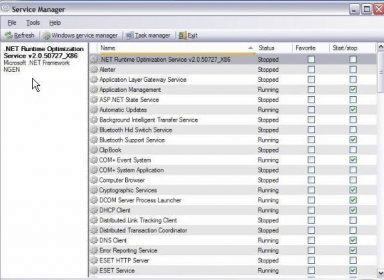
Service Manager is a program that will show you information about your running Windows services and drivers. The program will list everything that is running in your computer's memory. You can then select to browse only your services, your drivers, or both. It will state the display name, type, start type, status, PID, account, command, binary file, activation time, version, language, manufacturer, and a description for every entry. The services and drivers lines are shown with a different background color.
By using Service Manager you will control your running services and drivers. You will be able to inspect their properties, and start, pause or stop them. You can also remove services from the registry, preventing them from launching in the future. This will be especially useful with services that were left over by already uninstalled applications.
You can launch the Windows Task Manager or the Event Viewer from this application. This program will not only control your local computer, but any remote computer that you are able to connect to.





Comments